
What Is a Confidence Monitor? A Guide for Live Events
The lights come up. The music fades. A speaker steps on stage. Hundreds, or thousands, of eyes lock in.
And in that moment, everything has to work.
If you’ve ever produced or spoken at a live event, you know there’s no pause button. No “let’s try that again.” It’s real-time. High stakes. High visibility.
That’s exactly why understanding what a confidence monitor is and how to use one can completely change the experience for both your presenters and your audience.
So, What is a Confidence Monitor?
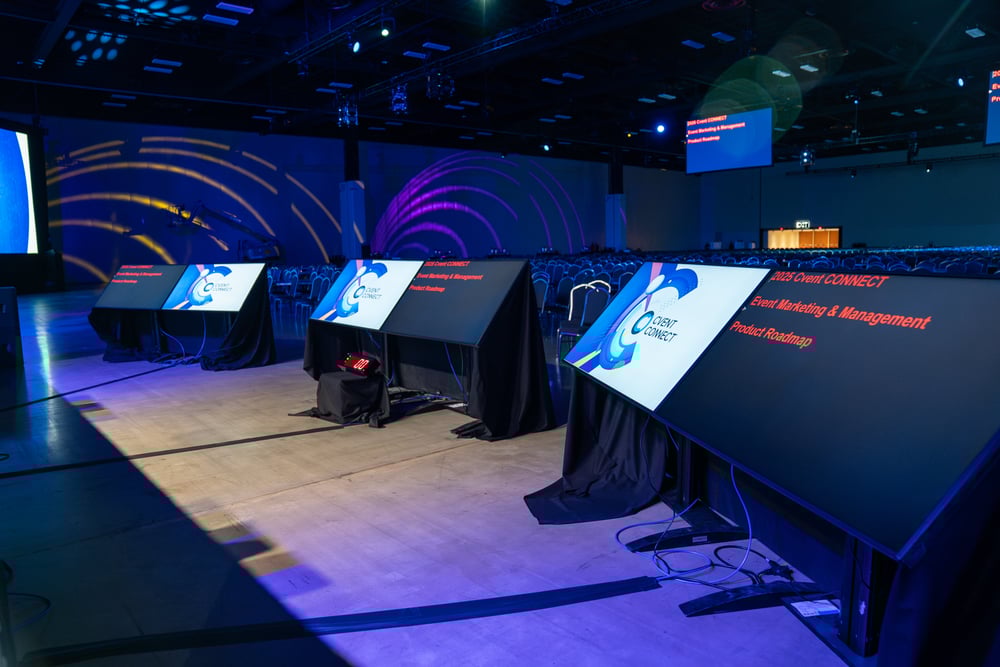
At its simplest, a confidence monitor, or downstage monitor (DSM), is a screen placed on or near the stage that mirrors the content being shown to the audience.
It faces the presenter, not the crowd.
If the audience sees slides on a giant LED wall behind the speaker, the presenter sees those same slides on a smaller screen positioned in front of them.
No turning around.
No guessing what slide is up.
No awkward pauses.
What It Displays During Events
Depending on the event setup, a confidence monitor can display:
-
Presentation slides
-
Speaker notes
-
Video playback
-
Countdown timers
-
Live camera feeds
-
Script cues
It’s essentially a backstage assistant sitting right at the speaker’s feet. And during a live event, that assistant is invaluable.
Why Live Events Specifically Need a Confidence Monitor
Here’s the reality: live events are unpredictable.
Microphones cut out. Slides advance too soon. Speakers lose their place. Lighting shifts. Energy changes. A confidence monitor acts as a stabilizer in the middle of that controlled chaos. Here’s a couple examples in practice:
Large Corporate Conferences
Imagine a CEO is delivering a keynote to 1,500 employees. In this keynote, the CEO wants to come off as confident and educated so the overall delivery stays aligned with visual data, reference statistics, while transitioning smoothly between sections.
Turning around to look at a giant screen behind them? That breaks authority and flow. With a confidence monitor, they remain forward-facing, composed, and connected.
Galas, Fundraisers & Award Shows
These events often combine scripted and unscripted moments.
Hosts juggle:
-
Nominee announcements
-
Sponsor recognition
-
Timed transitions
-
Emotional storytelling
A subtle stage monitor keeps them on track without reading from a script like a news anchor.
How do Confidence Monitors Work?
The good news? Technically, it’s straightforward.
In most live event environments:
-
The presentation laptop outputs via HDMI or SDI.
-
The signal routes through a video switcher.
-
That signal feeds both the main display (LED wall or projector) and the stage monitor.
Both screens help the presenter deliver an exceptional presentation while not having to look back at the main screen for reference.
Ideal Placement on Stage
Placement matters more than most people realize.
The monitor should:
-
Sit low and angled upward
-
Align with the presenter’s natural eye line
-
Remain discreet to the audience
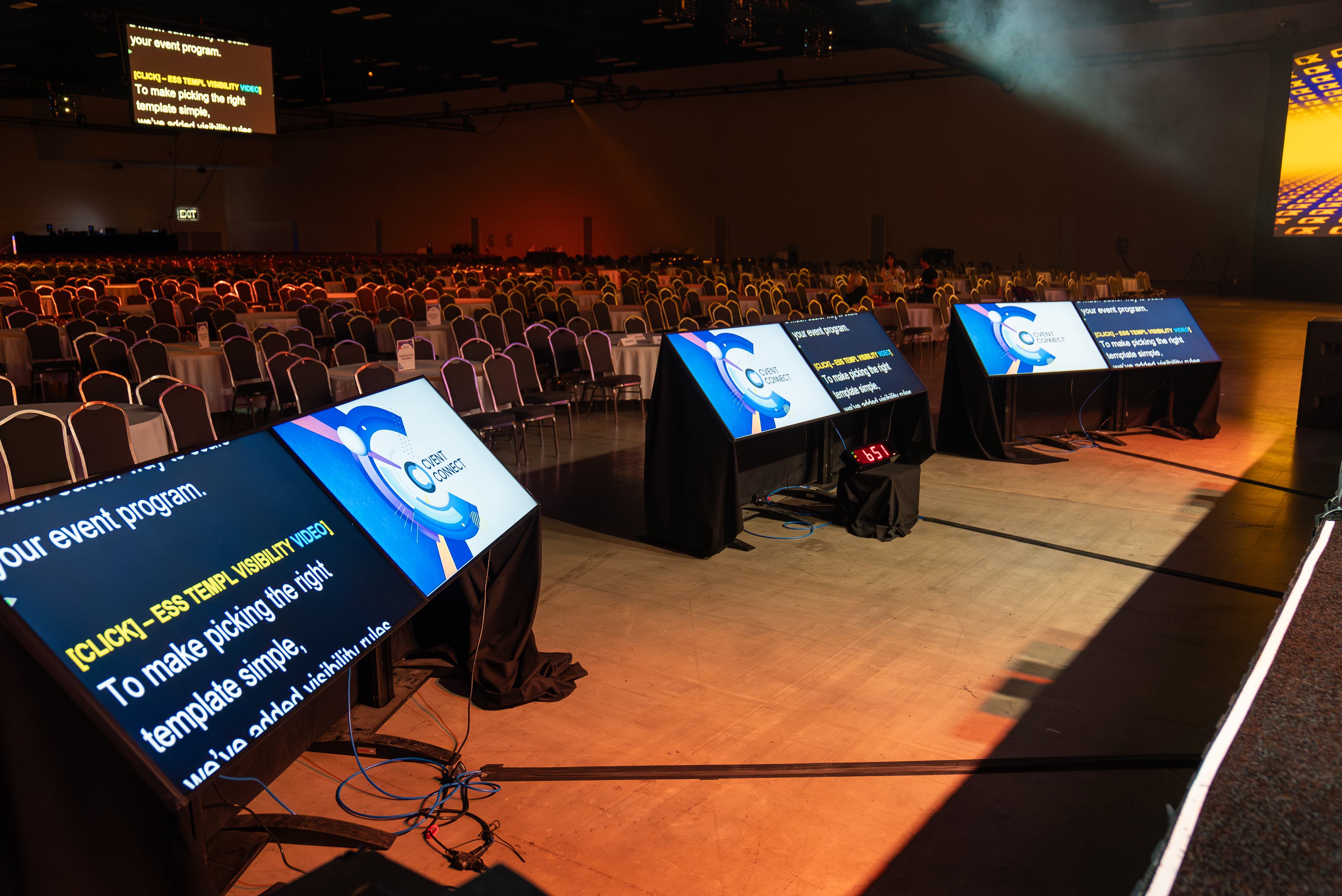 Poor placement can cause speakers to look down too often, breaking engagement. Good placement makes the monitor nearly invisible in behavior. It becomes part of the natural rhythm of presenting.
How Many Confidence Monitors Does an Event Need?
There isn’t one setup that works for every stage.
A single confidence monitor may be enough for a presenter who stays near center stage. Larger stages or speakers who move around may need two monitors positioned on opposite sides so presentation content stays visible from different locations.
The right setup depends on the stage size, presenter movement, sightlines, lighting, and the type of content being displayed.
Confidence Monitor vs. Teleprompter for Events
People often ask: “Can’t we just use a teleprompter?”
Not quite. While both are uniquely useful in different ways, there are some crucial differences to look at.
Here’s the difference:
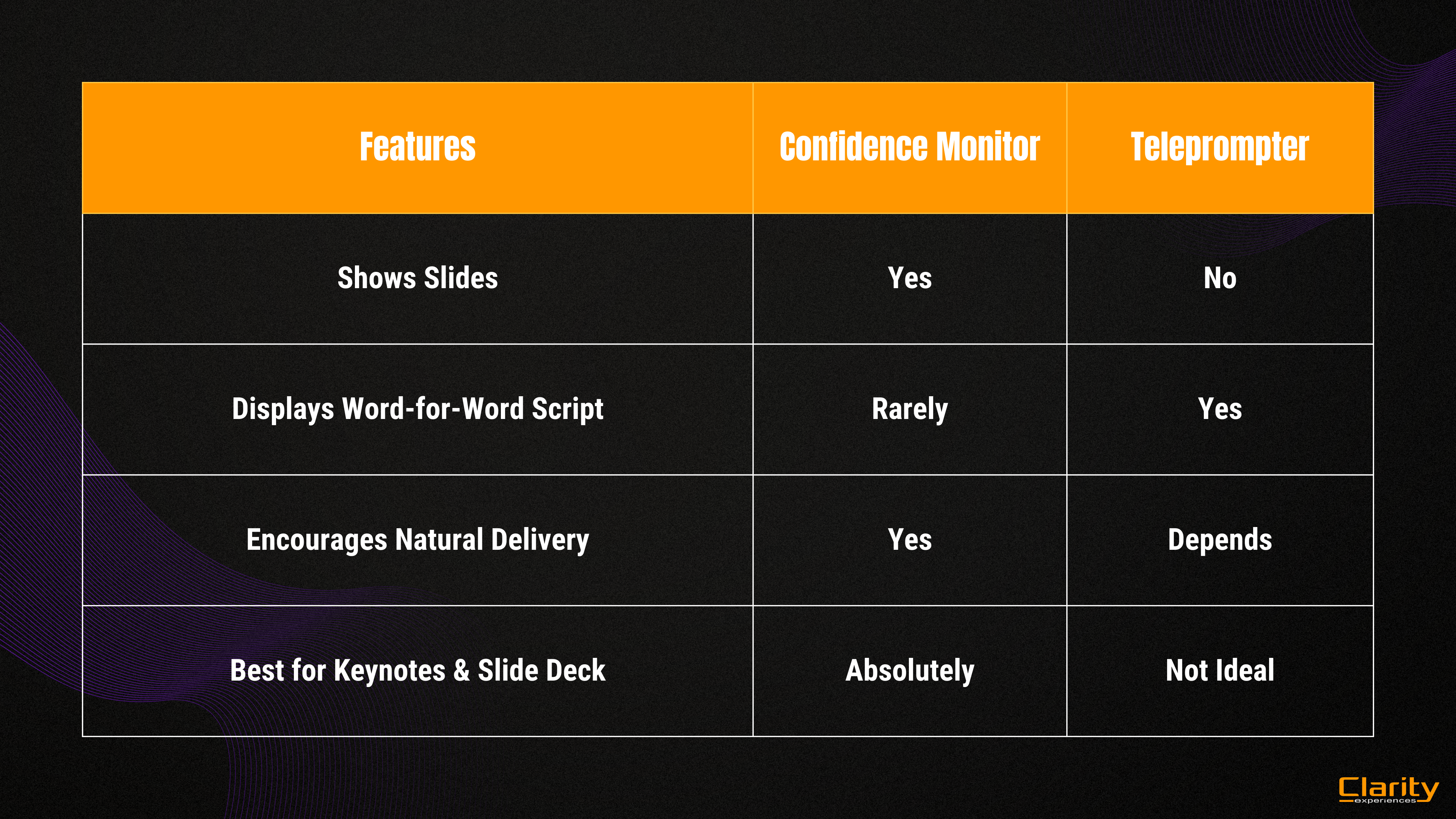
At its core, teleprompters are designed for scripted reading and confidence monitors are designed for live event flow.
How to Choose the Right Confidence Monitor Setup
When choosing the right confidence monitor for your live event, it’s important to think beyond just grabbing the nearest screen. Consider the full environment:
-
presenter movement
-
viewing distance
-
brightness
-
monitor size
-
number of monitors
-
content being displayed
-
camera/sightline considerations
Every event has its own personality and technical demands, so the goal isn’t simply to pick a screen, it’s to choose equipment that supports the overall experience you’re trying to create.
Hire an AV Company to Handle the Heavy Lifting
Now if doing all this sounds like a lot, you can always hire professionals to take care of all that tedious setup. Live events are rarely straightforward, so partnering with AV professionals ensures your monitor is properly routed, positioned at the ideal eye line, and fully tested before showtime.
This means no additional stress for you or your speakers, allowing your team to focus on delivering a powerful experience instead of troubleshooting cables minutes before the doors open.
Elevate Your Live Events with Clarity Experiences
At the end of the day, live events aren’t about equipment.
If you’re planning your next live event and want it to feel seamless, intentional, and truly impactful, partner with Clarity who understands both the technology and the experience behind it.